Website Development Checklist for Startups: A Practical Guide from Planning to Launch
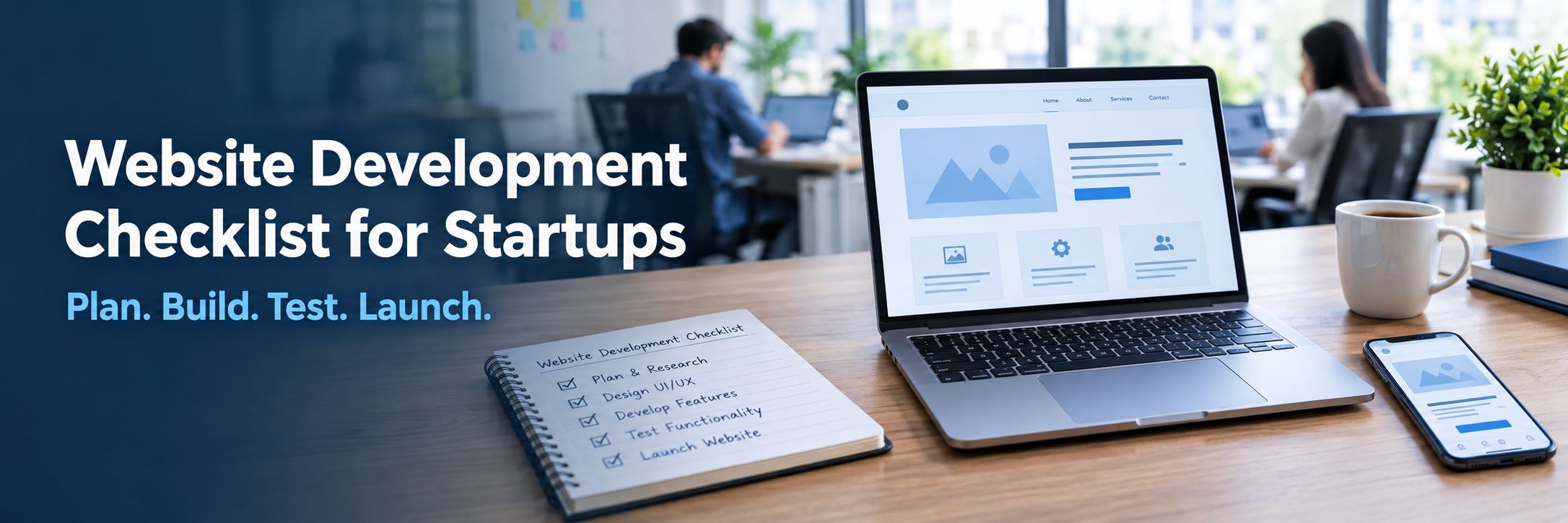
Quick Answer: A website development checklist for startups is a step-by-step list covering planning, design, development, testing, launch, and maintenance. It helps founders build a reliable website by catching problems early. Using one reduces development mistakes, launch delays, security gaps, SEO issues, and unnecessary costs, because every task is decided and checked before the site goes live.
Most startup websites do not fail because of bad code. They fail because someone skipped a step. The domain was registered under a freelancer's email. Nobody set up analytics before launch. The contact form sent leads to a mailbox that no one checked.
A checklist prevents these problems. This guide walks through every stage of building a startup website, from the first planning call to the months after launch. It is written for founders, product teams, and business owners, whether or not you write code yourself.
Use it as a working document. Copy the tables, assign an owner to each item, and tick things off as you go.
What Is a Website Development Checklist for Startups?
A website development checklist for startups is a structured list of tasks that covers the full life of a website. It starts with business goals and ends with ongoing maintenance. Each item is small, specific, and easy to verify.
It is not a technical specification. A specification describes what to build. A checklist confirms that nothing important was forgotten while building it.
Good checklists group tasks by stage. The table below shows all fifteen stages in one place. The sections that follow explain each stage in more detail.
| Stage | Key Tasks |
|---|---|
| 1. Business planning | Define the website purpose, main conversion goal, budget, timeline, and success metrics |
| 2. Audience and competitor research | Write audience profiles, review five to ten competitors, note gaps you can fill |
| 3. Domain and hosting | Register the domain under a company account, choose hosting, plan DNS and business email |
| 4. Website architecture | Create a sitemap, plan navigation, define URL patterns |
| 5. Content planning | Assign page owners, write copy, prepare images, product details, and legal pages |
| 6. UI/UX design | Build wireframes, design responsive layouts, place calls to action, review with real users |
| 7. Development | Choose the stack, build templates, configure forms, connect APIs and integrations |
| 8. SEO | Map keywords to pages, write titles and meta descriptions, set canonicals, XML sitemap, and robots.txt |
| 9. Performance | Compress images, enable caching, use a CDN, check Core Web Vitals |
| 10. Security | Enable HTTPS, set access controls, update dependencies, configure backups |
| 11. Testing | Test forms, links, browsers, devices, accessibility, redirects, and payments |
| 12. Analytics | Connect Google Analytics and Google Search Console, set up conversion tracking |
| 13. Launch | Final review, DNS switch, redirects, monitoring, stakeholder approval |
| 14. Post-launch maintenance | Monitor uptime, fix errors, update software, review analytics monthly |
| 15. Scalability | Plan hosting growth, code structure, and future features |
Why Do Startups Need a Website Development Checklist?
Startups need a checklist because they have small teams, tight budgets, and little room for rework. One missed step, such as forgetting mobile testing, can delay a launch by weeks. A checklist keeps everyone working from the same list.
It also protects you from decisions that are hard to undo. A poor URL structure, a weak hosting choice, or a missing security setup is cheap to fix early and expensive to fix later.
In practice, a checklist helps startups avoid these common problems:
- Building pages before the goal of the website is clear
- Launching without analytics, so early traffic data is lost
- Finding SEO problems only after the site is live
- Skipping security basics because the site "is just a marketing site"
- Losing access to the domain or hosting when a freelancer leaves
- Going over budget because features were added without a plan
What Should Startups Define Before Website Development?
Before any design or code, define why the website exists, who it serves, and what a visitor should do. Also fix the budget, the timeline, and who approves decisions. These answers shape every later choice.
Many startups skip this and start with a template. Six weeks later the team is arguing about what the homepage should say. Time spent here is the cheapest time in the whole project.
Business and Website Goals
Write one primary goal. For a service business it might be booked consultations. For a SaaS product it might be free trial sign-ups. For an e-commerce store it is completed orders. Add two or three supporting goals, such as newsletter sign-ups or building credibility with investors.
Then attach a number to the goal. "More leads" is vague. "Thirty qualified enquiries a month within six months" gives the team something to measure.
Checklist: Business Planning
- Define the primary purpose of the website
- Define primary conversion goals and how you will measure them
- Set a realistic budget range and target launch date
- Name one decision maker and one content owner
- List required integrations, such as CRM, payments, or booking tools
- Note legal needs, such as a privacy policy, terms, and cookie consent
How Website Needs Change by Startup Stage and Model
A pre-launch startup may only need one page with a clear promise and an email sign-up. An MVP-stage startup needs enough pages to explain the product and collect feedback. A growing startup needs deeper content, stronger SEO, and better integrations.
The business model matters just as much. The table below shows how priorities shift.
| Startup Type | Main Website Priorities | Common Integrations |
|---|---|---|
| Pre-launch | One clear landing page, email capture, fast setup | Email marketing tool, analytics |
| MVP-stage | Product explanation, waitlist or demo, feedback forms | Analytics, CRM, live chat |
| SaaS | Pricing page, sign-up and login, documentation, secure authentication | Product APIs, billing system, CRM |
| E-commerce | Product pages, cart, checkout, accurate inventory | Payment gateway, inventory and shipping tools |
| Service-based | Service pages, local SEO, contact forms, appointment booking | Calendar tools, CRM, call tracking |
| B2B | Case studies, lead generation pages, downloadable resources | CRM, marketing automation |
| B2C | Mobile speed, social proof, simple sign-up or purchase flow | Payments, email, social platforms |
| Marketplace | Buyer and seller accounts, search, listings, trust and safety | Payments with payouts, messaging, identity checks |
| Technology startup | Documentation, developer resources, product credibility | GitHub, API portal, support tools |
| Growing startup | Scalable content, stronger SEO, several landing pages | Marketing automation, analytics, CRM |
Budget decides how much custom work is realistic. Expected traffic decides how strong your hosting needs to be. Product complexity decides how much architecture you need. Sensitive customer data raises security requirements. Your content and SEO goals decide how flexible the CMS must be.
How Should Startups Research Their Audience and Competitors?
Start by talking to real people. Speak with five to ten customers or prospects and ask what they were looking for, what confused them, and what made them trust or doubt a company. Then study the competitors they mention.
The goal is not to copy competitors. It is to spot patterns and gaps. If every competitor hides pricing, a clear pricing page could be an advantage. If every competitor has a slow mobile site, speed becomes a real differentiator.
Checklist: Audience and Competitor Research
- Identify the target audience and write two or three short buyer profiles
- List the questions buyers ask before they contact or purchase
- Collect search terms buyers use, and note the intent behind each one
- Review five to ten competitor websites for structure, messaging, and calls to action
- Check competitor page speed and mobile experience
- Note which content types they publish, such as guides, case studies, or tools
- Write down three things your website will do better
Search intent is worth understanding early. Someone searching "website checklist" wants a list. Someone searching "hire web developer" wants a provider. Each intent needs a different page.
How Should Startups Plan Their Website Structure?
Plan structure by listing every page you need, grouping pages by purpose, and mapping how visitors move between them. The result is a sitemap. It should be simple enough that a new visitor finds what they need without thinking.
Structure affects both users and search engines. Clear navigation helps people reach a goal faster. Clear hierarchy helps Google Search understand which pages matter most.
A Simple Startup Sitemap
- Home
- Product or Services, with one page per major offering
- Pricing, if you can share it
- About and Team
- Case Studies or Customer Stories
- Blog or Resources
- Contact
- Privacy Policy, Terms, and Cookie Policy
Checklist: Website Architecture
- Create a sitemap before design starts
- Keep the main menu short and use plain labels
- Use short, lowercase, hyphen-separated URLs that describe the page
- Give each page one main purpose and one main call to action
- Plan internal links between related pages
- Plan a 404 page and a redirect strategy if you are replacing an old site
Do not build every page on day one. Early-stage startups often launch with five to eight strong pages and add more as they learn what visitors want.
What Should Be Included in a Startup Website Design Checklist?
A startup website design checklist should cover user experience, responsive layouts, readable content, clear calls to action, working forms, and accessibility. Design is not only how the site looks. It is how easily a visitor completes the goal you defined.
Start with wireframes. These are simple page sketches without colors or images. They let you fix layout problems before anyone spends time on visual design.
UI/UX Planning
Ask what each page must help the visitor do. Put the most important information and action near the top. Use clear headings, short paragraphs, and plenty of spacing. Test wireframes with two or three people outside your team.
Responsive and Mobile-First Design
Responsive design means the layout adjusts to any screen size. Mobile-first means you design for the smallest screen first and expand upward. Google Search primarily uses the mobile version of a page for indexing, so a weak mobile experience can hurt visibility as well as sales.
Content and Calls to Action
Content is often the real cause of launch delays. Copy, images, and product details arrive late, and the design has to be redone. Prepare content before development, or at least write real draft copy.
Every page needs a clear next step. Use specific button text such as "Book a demo" or "Request a quote" instead of "Submit" or "Click here".
Contact Forms and Lead Generation
Keep forms short. Ask only for what you need to follow up. Confirm what happens after submission, and route the lead to the right person or CRM. A form that works but sends messages to nobody is a common and costly mistake.
Accessibility
Accessibility means people with visual, hearing, motor, or cognitive differences can use your site. The W3C publishes the Web Content Accessibility Guidelines (WCAG), which most teams use as the standard. Accessible sites are also easier for everyone to use.
- Make every page usable with a keyboard only
- Use readable font sizes and sufficient color contrast
- Write descriptive link text instead of "read more"
- Add alt text to meaningful images
- Label every form field
- Use semantic HTML, such as proper headings and landmarks
- Test with a screen reader on at least the main pages
What Should Startups Check During Website Development?
During development, check that the build matches the design, works on all key devices, connects properly to other systems, and can be managed by your team after launch. Ask for regular demos so problems appear early.
Also confirm the basics of process. Code should live in a version control system such as GitHub, and there should be a staging site where changes are tested before going live.
CMS or Custom Development
A content management system, or CMS, lets non-technical people edit pages. WordPress is the most familiar example. It works well for marketing sites, blogs, and lead generation. Custom development makes sense when the website is part of the product, or when you need unusual features, user accounts, or heavy integrations.
Many startups begin with a CMS and move to custom development later. That is a valid plan if you choose a setup that can grow.
APIs and Third-Party Integrations
An API lets two systems share data. Your website may connect to a CRM, payment gateway, email tool, booking system, or your own product. Each integration adds testing work, so list them early and confirm how each one handles errors.
A SaaS startup often needs login, product data, and billing connected to the marketing site. An e-commerce startup needs payments and live inventory. A B2B startup usually needs forms that feed a CRM cleanly. These needs should drive the technical plan.
Checklist: Development
- Choose the technology stack based on requirements and team skills
- Set up version control and a staging environment
- Build reusable templates and components
- Configure forms, validation, and email notifications
- Connect and test every third-party integration
- Set up user roles and access control where needed
- Confirm the team can edit content without developer help
- Document how the site is built and deployed
What Technologies Should Startups Consider?
Startups should choose technology that fits the business need, the budget, and the skills available. There is no single best stack. WordPress, Laravel, React, Next.js, and Node.js each solve different problems.
Popularity matters less than maintainability. A stack that few developers know can become a hiring problem. Choose tools with active communities and good documentation.
| Option | What It Is | Best For | Watch Out For |
|---|---|---|---|
| WordPress | A PHP-based CMS with themes and plugins | Marketing sites, blogs, simple lead generation | Plugin quality, updates, and performance if overloaded |
| Laravel | A PHP framework for custom web applications | Custom portals, dashboards, structured back ends | Needs experienced developers and proper hosting |
| React | A JavaScript library for building interactive interfaces | Web apps with dynamic user interfaces | SEO needs extra planning if pages render only in the browser |
| Next.js | A React framework with server rendering and routing | Fast, SEO-friendly sites and product front ends | More setup than a CMS, and content editing needs planning |
| Node.js | A runtime that runs JavaScript on the server | APIs, real-time features, back-end services | Needs clear structure and careful dependency management |
A content-led startup may do well with WordPress. A SaaS startup may prefer Next.js for the public site and Node.js or Laravel for the product back end. Ask your developers to explain the reason for each choice in plain language. If they cannot, keep asking.
What Should Startups Check for SEO?
Startups should check that every page has a clear purpose, a unique title, proper headings, fast loading, mobile-friendly design, and clean technical setup. SEO should be built in during development, not added after launch.
Fixing SEO after launch often means changing URLs, templates, and content. That creates redirect work and can cause lost rankings. Doing it right the first time is simpler.
On-Page SEO
- Research keywords and map one main topic to each page
- Match each page to search intent, such as learning, comparing, or buying
- Write unique page titles and meta descriptions
- Use one clear main heading and logical subheadings
- Add internal links between related pages
- Write descriptive image alt text
- Focus on useful, original content rather than word count
Technical SEO
- Create SEO-friendly URLs
- Generate and submit an XML sitemap
- Verify robots.txt does not block important pages
- Set canonical tags to avoid duplicate content problems
- Serve the whole site over HTTPS
- Check mobile usability and page speed
- Add structured data where it applies
Structured data, often called schema markup, is extra code that helps search engines understand your content. Organization details, articles, FAQs, products, and reviews are common uses. Only add it where it matches what is visible on the page.
Analytics and Conversion Tracking
Connect Google Search Console before launch. It shows how Google sees your site, which queries bring visitors, and which pages have indexing problems. Add Google Analytics as well, and set up events for form submissions, sign-ups, purchases, and key button clicks. Without conversion tracking, you will know how many people visited but not whether the site is working.
What Should Startups Check for Website Performance?
Startups should check how fast pages load, how quickly they respond to clicks, and whether the layout stays stable. Google measures these through Core Web Vitals. Fast sites tend to keep visitors longer and convert better.
Core Web Vitals include Largest Contentful Paint for loading speed, Interaction to Next Paint for responsiveness, and Cumulative Layout Shift for visual stability. You can measure them with PageSpeed Insights and Lighthouse.
Checklist: Website Performance
- Compress images and use modern formats such as WebP or AVIF
- Set correct image sizes and use lazy loading for images below the fold
- Minify CSS and JavaScript files
- Remove unused code and unnecessary plugins
- Enable browser caching and server caching
- Use a CDN, such as Cloudflare, to serve files closer to visitors
- Choose hosting with good server response time
- Optimize database queries on dynamic sites
- Limit third-party scripts such as chat widgets and trackers
- Test on real mid-range mobile devices, not only fast laptops
Third-party scripts deserve special attention. Each one adds weight and can slow the page. Keep only those that support a real business goal.
What Should Startups Check for Security?
Startups should secure their website with HTTPS, strong authentication, controlled access, regular updates, safe handling of user input, and reliable backups. Small companies are not too small to be targeted, because attacks are usually automated.
The OWASP Top 10 is a widely used list of common web application risks. Your developers should know it and build with it in mind. You do not need to understand every item, but you should ask how each is addressed.
Checklist: Website Security
- Install an SSL/TLS certificate and force HTTPS on every page
- Choose secure, well-maintained hosting
- Require strong passwords and offer multi-factor authentication for admin and user accounts
- Give each person only the access they need
- Keep the CMS, plugins, frameworks, and libraries updated
- Review third-party dependencies and remove those you do not use
- Validate and sanitize all user input, including form fields
- Secure APIs with authentication and rate limits
- Use a trusted payment provider so card data is not stored on your server
- Store personal data only when needed, and protect it
- Follow privacy rules that apply to your users, such as GDPR
- Set up automated backups and test restoring them
- Monitor logs and set alerts for unusual activity
Backups deserve a note. A backup you have never restored is only a hope. Test it at least once before launch.
How Should Startups Test Their Website Before Launch?
Test the website as a real visitor would use it. Check that forms send, links work, pages load quickly, layouts fit every screen, and payments complete. Then check accessibility, security, SEO, and analytics. Testing should happen on a staging site before launch.
Ask people outside the development team to test as well. Developers know where to click. New users do not.
| Test Area | What to Check | How to Test |
|---|---|---|
| Functional | Buttons, menus, search, logins, and user flows work as expected | Walk through each main journey manually |
| Responsive and mobile | Layouts, text, and buttons work on phones, tablets, and desktops | Test on real devices and browser developer tools |
| Browser | Site works in Chrome, Safari, Firefox, and Edge | Manual checks or a cross-browser testing service |
| Forms | Validation, error messages, email notifications, and CRM delivery | Submit test entries and confirm receipt |
| Links and navigation | No broken links, correct menu paths, working breadcrumbs | Crawl the site with a link checker |
| Performance | Core Web Vitals, image weight, and server response | PageSpeed Insights and Lighthouse |
| Accessibility | Keyboard use, contrast, labels, alt text, and headings | Automated tools plus manual and screen reader checks |
| Security | HTTPS, access control, input handling, and known vulnerabilities | Security review against the OWASP Top 10 |
| SEO | Titles, meta tags, canonicals, sitemap, robots.txt, structured data | SEO crawl and Google Search Console checks |
| Analytics | Page views and conversion events are recorded correctly | Trigger events and confirm in reports |
| Error pages and redirects | 404 page works and old URLs redirect to the right pages | Test a list of old and invalid URLs |
| Checkout and payments | Orders, payments, receipts, refunds, and failures work | Use the payment provider's test mode |
What Should Be Included in a Website Launch Checklist?
A website launch checklist should confirm that content, design, technical setup, SEO, tracking, security, and approvals are all complete. It is the last gate before the site goes public. Nothing should go live until each item is checked.
Launch is easier when the work is split into groups. Assign an owner to each group so nothing falls between roles.
Content and Design
- Complete a final content review for spelling, facts, and tone
- Complete a final design review on desktop and mobile
- Add a favicon and social sharing metadata
- Confirm that legal pages are published and linked
Technical Setup
- Confirm domain configuration and DNS records
- Confirm HTTPS is active with a valid certificate
- Check hosting resources and database configuration
- Test forms and email notifications on the live server
- Confirm backups are running
- Set up uptime and error monitoring
SEO and Tracking
- Remove any "noindex" tags left from staging
- Submit the XML sitemap in Google Search Console
- Verify robots.txt and canonical URLs
- Set up redirects from old URLs
- Confirm the 404 page works
- Check structured data where applicable
- Confirm Google Analytics and conversion tracking are active
Final Checks
- Run mobile and browser tests one more time
- Run a performance test on key pages
- Complete an accessibility review
- Complete a security review
- Take a full backup before deployment
- Get final stakeholder approval in writing
- Deploy the website, then recheck key pages on the live site
The "noindex" tag is a classic launch mistake. Developers often block search engines while a site is being built and forget to remove the block. The site then goes live and never appears in search.
How Much Does Startup Website Development Cost?
Startup website development cost varies widely because no two projects are the same. A simple site with a few pages costs far less than a platform with user accounts, payments, and integrations. Any fixed number without a scope should be treated with caution.
The best approach is to define your requirements first, then ask for a scoped estimate. Compare what is included, not only the total. A low quote that leaves out testing, security, or content work will cost more later.
| Cost Factor | Why It Affects Cost | How to Keep It in Check |
|---|---|---|
| Website size and page count | More pages mean more design, content, and testing | Launch core pages first and add more later |
| Design complexity | Custom layouts and animations take more time than templates | Use a clean design with reusable components |
| Custom functionality | Unique features need planning, coding, and testing | Build the minimum needed for launch |
| CMS requirements | Flexible editing needs careful setup | Choose a CMS that matches your team's skills |
| E-commerce features | Catalogs, checkout, tax, and shipping add complexity | Start with a focused product range |
| APIs and third-party services | Each integration needs setup, testing, and sometimes license fees | Integrate only tools you will actually use |
| Authentication and database | User accounts and stored data need secure design | Confirm what data you truly need to store |
| Hosting and security | Better hosting, monitoring, and protection have ongoing fees | Scale hosting as traffic grows |
| SEO and content creation | Writing, research, and technical SEO take skilled time | Prioritize pages tied to your main goals |
| Testing and maintenance | Quality checks and updates are part of the real cost | Budget for them from the start |
| Developer location and team structure | Freelancers, agencies, and in-house teams price differently | Match the team model to project size and risk |
Remember that launch is not the end of spending. Hosting, domain renewals, software licenses, security updates, and improvements continue every year. Plan for these in the first budget.
What Common Website Development Mistakes Should Startups Avoid?
The most common mistakes are unclear goals, weak planning, late content, ignoring mobile users, skipping SEO and security, and launching without tracking. Nearly all of them come from rushing past the early stages of the checklist.
The table below lists frequent problems and how to prevent them.
| Problem | Why It Happens | Solution |
|---|---|---|
| Unclear website goal | The team starts designing before agreeing on purpose | Write one primary goal and one success metric first |
| Late or missing content | Content is treated as a final step | Prepare copy during design and assign owners |
| Poor mobile experience | Design is reviewed only on desktop | Design mobile-first and test on real phones |
| SEO added after launch | SEO is seen as marketing, not development | Include SEO tasks in the development plan |
| Slow pages | Large images and too many scripts | Compress images, cache, and audit third-party scripts |
| Weak security | Outdated plugins and default settings | Update regularly and follow OWASP guidance |
| No analytics at launch | Tracking is left for later | Set up and test tracking before going live |
| Lost access to accounts | Domain or hosting registered under an individual | Register all accounts under company ownership |
| Overbuilding | Too many features before real feedback | Launch a focused version and improve with data |
How Should Startups Choose a Website Development Company?
Choose a company that understands your business goals, explains technical choices clearly, and can show relevant past work. Look for honest communication about scope, timelines, and risks. Price matters, but process and support matter just as much.
Ask to speak with previous clients if possible. Ask how they handle changes, missed deadlines, and post-launch issues. The answers tell you more than a portfolio does.
- Ask for examples of similar projects and the results they produced
- Confirm who will actually work on your project
- Ask how they handle SEO, security, and accessibility during development
- Review the testing process and what is included in the quote
- Confirm that you will own the code, content, domain, and accounts
- Ask about documentation and handover
- Understand the support and maintenance options after launch
- Check how they communicate progress and manage changes
What Should Startups Do After Website Launch?
After launch, monitor the site closely, review analytics, fix issues quickly, and keep improving. The first weeks show how real visitors behave. A website is a living asset, not a finished project.
Set a routine. Some checks are daily or automatic, some weekly, and some monthly. A simple schedule prevents small problems from becoming big ones.
Checklist: Post-Launch
- Monitor uptime and server errors
- Review Google Analytics for traffic, behavior, and conversions
- Check Google Search Console for indexing issues and search queries
- Track conversions and compare them with your original goals
- Fix broken links and error pages
- Update the CMS, plugins, frameworks, and dependencies
- Apply security patches promptly
- Confirm backups run and can be restored
- Improve slow pages using performance reports
- Publish new content that answers real customer questions
- Review SEO performance each month
- Watch user behavior to find confusing pages
- Test forms regularly, since email settings can break without notice
- Add new features based on business needs and user feedback
How Can a Startup Website Scale as the Business Grows?
A startup website scales when its hosting, code, content, and processes can handle more traffic, more pages, and more features without a rebuild. Planning for growth early costs little. Retrofitting it later costs a lot.
Scaling does not mean building for millions of visitors on day one. It means avoiding choices that block growth, such as cramped hosting plans, tangled code, or a CMS that cannot handle more content.
- Use a clean, modular code structure so features can be added safely
- Choose hosting that lets you upgrade resources easily
- Use caching and a CDN to handle traffic spikes
- Keep the database organized and monitor slow queries
- Separate marketing pages from product features where it makes sense
- Document APIs and integrations so new developers can pick them up
- Keep a roadmap of future features, such as customer portals, multi-language pages, or new payment options
- Review performance and security each time the site grows
AI and Automation for Startup Websites
AI and automation can save small teams time when applied to specific tasks. Common uses include routing leads to the right person, sending automatic replies, tagging enquiries in a CRM, answering simple questions with a chatbot, and suggesting content improvements.
Start with repetitive work. If your team copies form entries into a spreadsheet each day, connect the form to your CRM instead. That is simple business automation with a clear payoff.
Be careful with AI features that talk to customers. Review what data they collect, make sure answers are accurate, and give people an easy way to reach a human. Any tool that handles personal data must also follow your privacy commitments.
Cloud-Based Website Solutions
Cloud hosting runs your website on flexible infrastructure instead of a single server. Amazon Web Services (AWS), Microsoft Azure, and Google Cloud Platform (GCP) are the major providers. Cloudflare adds a CDN, DNS, and protection services in front of a site.
For a small marketing site, managed hosting is often enough. Cloud platforms become more useful when traffic grows, when you run a web application, or when you need features such as automatic scaling, managed databases, and multiple regions.
- Choose a provider based on your team's skills and your product needs
- Set up automated backups and test recovery
- Use monitoring and alerts for uptime and errors
- Set budget alerts, since cloud costs can grow quietly
- Use a CDN to improve speed for visitors in different regions
- Keep infrastructure settings documented
Conclusion - Website Development Checklist
A good startup website is built on decisions made in the right order. Begin with clear business goals and a real understanding of your users. Turn that into a simple structure, a mobile-friendly design, and content that answers actual questions.
During development, build in SEO, performance, and security from the start. Test everything before launch, and connect analytics so you can learn from real visitors. These steps are far cheaper than fixing problems after the site is public.
After launch, keep the site healthy. Update software, monitor errors, review results, and improve based on what you learn. Plan for scalability without overbuilding. A startup website does not need to be large. It needs to be clear, fast, secure, and ready to grow with the business.
FAQ
Question: What is a website development checklist for startups?
Answer: It is a step-by-step list of tasks that covers planning, design, development, testing, launch, and maintenance. Startups use it to make sure nothing important is missed, such as SEO setup, security, analytics, or mobile testing, before the website goes live.
Question: Why does a startup need a website development checklist?
Answer: Startups have limited budgets and small teams, so mistakes are expensive. A checklist prevents rework, launch delays, security gaps, and SEO problems by making every task visible, assigned, and checked before launch.
Question: What should a startup do before building a website?
Answer: Define the main goal of the site, identify the target audience, review competitors, set a budget and timeline, and plan the page structure. Also decide who approves content and design. These steps prevent changes in the middle of development.
Question: How much does startup website development cost?
Answer: Cost depends on the number of pages, design complexity, custom features, integrations, hosting, security, content, and who builds it. A simple brochure site costs far less than a SaaS platform with logins and payments. Ask for a scoped estimate, not a flat price.
Question: How long does it take to build a startup website?
Answer: A simple website can take a few weeks. A custom site with integrations, user accounts, or e-commerce often takes several months. Timelines depend mostly on how quickly content, feedback, and approvals arrive, not only on development speed.
Question: What technology should a startup use for its website?
Answer: Choose based on the business need, budget, and team skills. WordPress suits content-led sites. Next.js or React suit fast, interactive front ends. Laravel or Node.js suit custom logic and APIs. Pick a stack that developers are easy to hire for.
Question: Should startups choose WordPress or custom website development?
Answer: WordPress is a good fit for marketing sites, blogs, and simple lead generation because it is quick to launch and easy to edit. Custom development suits products with unique features, user accounts, complex integrations, or strict performance and security needs.
Question: How can startups make their websites SEO-friendly?
Answer: Plan SEO during development. Use clear page structure, short URLs, unique titles and meta descriptions, proper headings, fast loading pages, mobile-friendly design, HTTPS, an XML sitemap, and useful content. Connect Google Search Console before launch to track indexing.
Question: How can startups secure their websites?
Answer: Use HTTPS, strong authentication, least-privilege access, regular updates, validated inputs, secure APIs, and automated backups. Follow the OWASP Top 10 as a baseline. Use trusted payment providers instead of storing card data yourself.
Question: What should startups do after launching their website?
Answer: Monitor uptime, errors, and analytics. Check Google Search Console, test forms, fix broken links, apply updates and security patches, keep backups running, and publish new content. Review results monthly and plan new features based on real user behavior.