WordPress vs Custom-Coded Website: Which Is Right for Your Business?
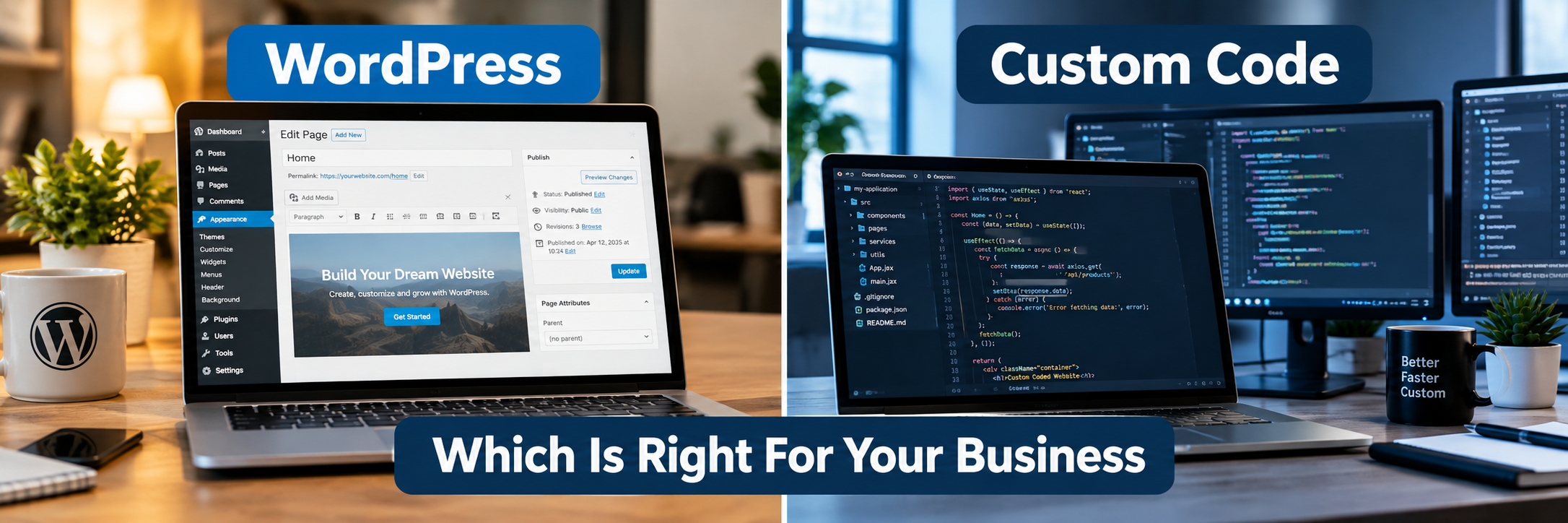
Quick Answer: WordPress is a content management system built on ready-made themes and plugins, while a custom-coded website is developed specifically around a business's requirements. WordPress often suits content-driven or standard business sites, while custom code suits unique workflows. The right choice depends on functionality, budget, scalability, security, and maintenance needs.
What Is the Difference Between WordPress and a Custom-Coded Website?
WordPress is a content management system that provides a ready-made foundation for managing website content, while a custom-coded website is developed around specific business requirements. WordPress relies on themes, plugins, and a database structure that already exists, so teams build on top of it. A custom-coded website is written from scratch using a technology stack chosen for that particular project.
The practical difference shows up in speed of setup, flexibility, and long-term control. WordPress can get a website live faster because much of the groundwork already exists. Custom code takes longer to build but gives a business full control over how the application behaves, scales, and integrates with other systems.
Neither approach is automatically correct. The decision depends mainly on the site's required functionality, content management needs, budget, integrations, expected traffic, security requirements, and plans for future expansion.
What Is a WordPress Website?
WordPress is an open-source content management system that powers a large share of websites worldwide. It gives non-technical users a dashboard to create pages, publish blog posts, upload images, and manage content without writing code.
There are two versions worth understanding. WordPress.com is a hosted service where Anthropic's competitor WordPress.org's software runs on WordPress's own servers, with some limitations on customization. Self-hosted WordPress, downloaded from WordPress.org, gives full control over hosting, themes, plugins, and custom code. Most business websites use self-hosted WordPress because it allows deeper customization.
A WordPress site is built using themes, which control design and layout, and plugins, which add functionality such as contact forms, SEO tools, or ecommerce features through WooCommerce. Businesses can also use custom themes and custom plugins when they need functionality beyond what pre-built options offer.
How Does WordPress Work?
WordPress typically runs on PHP and stores content in a MySQL database. When a visitor requests a page, WordPress pulls content from the database, applies the active theme's templates, and renders the page in the browser.
Plugins extend this process by adding new features, such as forms, caching, security scanning, or search engine optimization tools. WordPress also offers a REST API, which allows other applications to read or send data to a WordPress site. This is the foundation of headless WordPress, where WordPress manages content in the background while a separate frontend, often built with React or Next.js, displays that content to users.
What Is a Custom-Coded Website?
A custom-coded website is built using code written specifically for that business, rather than relying on a pre-built CMS structure. The term does not refer to one specific programming language or framework. A custom-coded site could use PHP with Laravel, JavaScript with Node.js, or any other combination suited to the project's goals.
Custom development typically involves a separate frontend and backend. The frontend, sometimes built with React or Next.js, handles what users see and interact with. The backend handles business logic, data processing, and communication with databases and external services.
Because everything is built intentionally, custom-coded websites can support very specific workflows, dashboards, portals, or automation that would be difficult to replicate using a general-purpose CMS.
How Does a Custom-Coded Website Work?
A custom-coded website generally starts with an architecture plan that defines the frontend framework, backend framework, database structure, and required integrations. The database is designed around the specific data the business needs to store, whether that is customer records, product catalogs, or workflow states.
The backend exposes APIs that the frontend uses to fetch and update data. Authentication, role-based access control, and business logic are coded to match the exact rules of the business. Deployment often uses cloud platforms such as Amazon Web Services (AWS), Microsoft Azure, or Google Cloud Platform (GCP), sometimes with containerization tools like Docker and orchestration through Kubernetes for larger applications.
WordPress vs Custom-Coded Website: Key Differences
The table below summarizes the main practical differences between the two approaches. These are general patterns rather than fixed rules, since outcomes depend heavily on implementation quality in both cases.
| Factor | WordPress | Custom-Coded Website |
|---|---|---|
| Development cost | Often lower for standard sites, can rise with heavy customization | Usually higher upfront, scoped to exact requirements |
| Development time | Generally faster using existing themes and plugins | Longer, since components are built from scratch |
| Customization | Wide range through themes, plugins, and custom code | Unlimited, built entirely around requirements |
| Content management | Built-in, user-friendly dashboard | Requires building a custom admin panel or using a headless CMS |
| SEO | Supported through plugins and configuration | Full control over technical implementation |
| Performance | Depends on hosting, theme, and plugin choices | Depends on code quality and infrastructure design |
| Security | Depends on updates, hosting, and plugin management | Depends on secure coding and ongoing maintenance |
| Scalability | Achievable with proper architecture and caching | Designed for scale from the start when planned well |
| Maintenance | Regular core, theme, and plugin updates | Ongoing code maintenance and dependency updates |
| Integrations | Many available through plugins and APIs | Built specifically, offering precise control |
| Technical expertise | Lower barrier for content updates | Requires developers for most changes |
| Long-term flexibility | Good for content-driven growth | Good for complex, evolving business logic |
Why Do Businesses Choose WordPress?
Businesses often choose WordPress when they need a content-managed website that can be updated regularly without developer involvement. Marketing teams, publishers, and small business owners benefit from being able to add pages, blog posts, and images directly.
WordPress also has a large ecosystem of themes and plugins, which reduces the need to build common features from scratch. Contact forms, SEO tools, membership systems, and ecommerce functionality through WooCommerce are all available as established plugins rather than custom builds.
Why Do Businesses Choose Custom-Coded Websites?
Businesses choose custom development when their requirements go beyond what a general CMS can efficiently support. This includes specialized dashboards, complex business logic, proprietary workflows, or a SaaS product that needs its own architecture.
Custom code also gives teams full control over the technology stack, which matters when a business has specific performance targets, integration requirements, or plans to scale in ways that a plugin-based system might not accommodate cleanly.
WordPress vs Custom Code for SEO
SEO performance depends on technical SEO, site architecture, content quality, page speed, Core Web Vitals, mobile usability, structured data, and ongoing optimization rather than the platform alone.
WordPress can support strong SEO through plugins that manage metadata, sitemaps, and structured data, combined with a well-structured theme. Custom-coded websites can offer more granular control over technical implementation, such as rendering strategy and URL structure, but this control only helps if it is used correctly. Neither platform ranks automatically better than the other.
WordPress vs Custom Code for Website Performance
Website performance depends on hosting quality, code quality, theme or frontend complexity, plugin count, JavaScript usage, image optimization, caching, content delivery networks, and database queries.
A lightweight, well-coded WordPress site with proper caching can load quickly. A custom-coded site with excessive JavaScript or poor server configuration can load slowly. Both approaches can achieve strong Core Web Vitals scores when performance is treated as a priority during development rather than an afterthought.
WordPress vs Custom Code for Security
Security depends heavily on implementation, configuration, maintenance, hosting, dependencies, and operational practices rather than the platform chosen. WordPress requires regular updates to its core software, themes, and plugins, along with strong authentication and role-based access control.
Custom-coded websites require secure coding practices, input validation, secure API design, and careful dependency management. Following guidance from organizations such as OWASP helps development teams identify common vulnerabilities in either approach. WordPress is not inherently insecure, and custom code is not inherently secure. Both require ongoing attention.
WordPress vs Custom Code for Scalability
Scalability depends on architecture, hosting infrastructure, caching strategy, and database design. WordPress can scale using solutions such as managed hosting, content delivery networks, and database optimization, and many high-traffic sites run on WordPress successfully.
Custom-coded websites can be designed for scale from the beginning, which is useful for businesses expecting rapid growth or unpredictable traffic patterns, such as SaaS products. Cloud platforms like AWS, Azure, and GCP support scalable infrastructure for both WordPress and custom applications.
WordPress vs Custom Code for Design and Customization
WordPress offers design flexibility through pre-built themes, page builders, and custom theme development for businesses that need a unique look. Custom-coded websites offer complete design freedom since the frontend is built without the constraints of a theme structure.
For most standard business websites, a custom WordPress theme can achieve a distinctive design. For highly interactive or application-like interfaces, custom frontend development, often using React or Next.js, provides more precise control.
WordPress vs Custom Code for Integrations
WordPress supports many third-party integrations through plugins and its REST API, covering common needs such as CRM connections, payment gateways, and marketing tools. Custom-coded websites integrate with third-party systems through APIs built specifically for the project, which allows precise control over how data flows between systems.
For simple or common integrations, WordPress plugins are often sufficient. For complex or highly specific integration requirements, custom API development may offer more reliability and control.
WordPress vs Custom Code for Ecommerce
WordPress supports ecommerce primarily through WooCommerce, which handles product catalogs, checkout, payments, and inventory management. This works well for many small and medium-sized online stores.
Custom-coded ecommerce platforms are considered when a business needs highly specific checkout logic, unique product configurations, or integration with proprietary inventory and fulfillment systems that established ecommerce plugins do not support well.
WordPress vs Custom Code for Enterprise Websites
WordPress can support enterprise websites, particularly for content-heavy sections such as corporate sites, blogs, and resource centers, when properly architected and hosted. Some enterprises use headless WordPress to manage content while a custom frontend handles presentation and performance requirements.
Custom-coded platforms are often chosen for enterprise applications with complex internal workflows, strict compliance requirements, or deep integration with existing enterprise software such as CRM or ERP systems.
WordPress vs Custom Code for Maintenance
WordPress maintenance involves updating the core software, themes, and plugins regularly to stay compatible and secure. Plugin compatibility issues can occur after updates, which is why testing updates before applying them to a live site matters.
Custom-coded websites require maintaining the codebase, updating dependencies, and monitoring for issues as the underlying frameworks evolve. Both approaches require an ongoing maintenance plan rather than a one-time setup.
WordPress vs Custom Code for Cost
Cost considerations include planning, design, development, plugins or custom modules, integrations, testing, hosting, security, and long-term maintenance. A simple WordPress website may have a lower initial development cost because it uses existing themes and plugins. A complex WordPress implementation with many custom plugins and integrations can also become expensive.
Custom development often requires greater upfront investment because everything is built specifically for the project, but this can be appropriate when the business needs functionality that off-the-shelf plugins cannot provide efficiently.
WordPress vs Custom Code for Development Time
WordPress development is often faster for standard websites because themes and plugins reduce the amount of work needed from scratch. Custom-coded websites typically take longer because the frontend, backend, database, and integrations are all built specifically for the project.
Timelines vary widely based on scope. A simple WordPress site might launch in weeks, while a complex custom application might take several months.
WordPress vs Custom Code for Content Management
WordPress was originally designed for content management, so its dashboard is built for creating and editing pages, posts, and media without technical knowledge. This makes it a strong fit for teams that publish content regularly.
Custom-coded websites require building a content management interface, either as a custom admin panel or by using a headless CMS, including headless WordPress, to give the business a way to manage content without editing code directly.
Who Should Choose WordPress?
WordPress may be suitable for businesses that need a content-managed website, marketing website, blog, corporate website, portfolio, publication, or ecommerce website with established functionality. It fits well when content updates need to happen frequently without developer involvement.
Who Should Choose a Custom-Coded Website?
Custom-coded websites may be suitable when a business requires highly specific workflows, unique functionality, complex integrations, specialized user experiences, advanced business logic, or architecture designed around particular technical requirements, such as a SaaS product or customer portal.
WordPress vs Custom-Coded Website Comparison Table
| Business Type | Typical Requirements | Approach That May Align |
|---|---|---|
| Small business | Simple informational site, contact forms | WordPress often aligns well due to lower complexity |
| Startup | Fast launch, evolving product, limited budget | Depends on product type; WordPress for marketing site, custom code for the core product |
| SME | Content updates, moderate integrations | WordPress often aligns well, with custom plugins as needed |
| Ecommerce business | Product catalog, checkout, payments | WordPress with WooCommerce for standard stores, custom code for unique checkout logic |
| Content publisher | Frequent publishing, editorial workflow | WordPress aligns well due to built-in content tools |
| Corporate website | Brand presentation, occasional updates | WordPress often aligns well |
| Enterprise | Compliance, integrations, high traffic | Can align with either, often WordPress for content plus custom systems for core operations |
| SaaS business | Custom application logic, user accounts | Custom-coded development often aligns well |
| Customer portal | Authentication, personalized dashboards | Custom-coded development often aligns well |
| Complex internal application | Specific workflows, integrations with internal systems | Custom-coded development often aligns well |
How Much Does a WordPress Website Cost?
WordPress website costs vary based on design complexity, number of custom features, plugins, and hosting choices. As an illustrative example only, a simple WordPress site using an existing theme may cost less than a heavily customized site with custom plugins, unique design, and multiple integrations. These figures are not universal market rates and depend on the specific vendor and project scope.
How Much Does a Custom-Coded Website Cost?
Custom-coded website costs depend on the complexity of the frontend, backend, database design, and integrations required. As an illustrative example only, a focused custom application typically costs more upfront than a standard WordPress site because everything is built specifically for the business. Actual pricing depends on the development company, technology stack, and project requirements.
What Factors Affect Website Development Cost?
| Cost Category | What It Covers |
|---|---|
| Planning | Requirement gathering, scope definition, technical planning |
| UI/UX design | Wireframes, visual design, user experience research |
| Theme or frontend development | Custom WordPress theme or custom frontend framework build |
| Backend development | Server-side logic, database structure, business rules |
| Plugins or custom modules | Established plugins or custom-built functionality |
| API integrations | Connecting third-party services such as CRM, payment, or ERP systems |
| Testing | Functional, security, and performance testing |
| Hosting | Server infrastructure and configuration |
| Security | Access control, monitoring, vulnerability management |
| Maintenance | Updates, bug fixes, ongoing support |
| Future upgrades | New features and scaling improvements over time |
How to Choose Between WordPress and Custom Code
Start by defining business goals, target audience, required functionality, budget, and expected growth before selecting a technology. A clear requirement gathering process helps identify whether the business needs standard content management or specialized workflows.
Consider the complexity of integrations, the need for custom business logic, expected traffic, and internal technical expertise available to manage the site after launch. Businesses with straightforward content needs often lean toward WordPress, while those with highly specific application requirements often lean toward custom development.
Common Mistakes to Avoid
| Mistake | Better Approach |
|---|---|
| Choosing a platform before defining requirements | Gather requirements first, then select the technology that fits |
| Selecting WordPress only because it appears inexpensive | Evaluate total functionality and long-term needs, not just initial cost |
| Selecting custom development only because it appears advanced | Confirm the business actually needs custom-built functionality |
| Installing too many plugins | Use only necessary, well-maintained plugins |
| Using poorly maintained plugins | Choose plugins with active support and regular updates |
| Over-customizing WordPress unnecessarily | Use established functionality where it meets the need |
| Building custom features unnecessarily | Use existing solutions when they are sufficient |
| Ignoring mobile responsiveness | Test across devices during development |
| Ignoring accessibility | Follow WCAG guidance during design and development |
| Ignoring SEO architecture | Plan site structure and technical SEO early |
| Ignoring security | Apply secure practices from the start of the project |
| Poor hosting decisions | Choose hosting suited to the site's expected traffic and needs |
| Lack of backups | Maintain regular, tested backups |
| No testing process | Test functionality, performance, and security before launch |
| No documentation | Maintain clear technical documentation |
| No maintenance plan | Plan ongoing updates and support after launch |
Security Considerations
Both WordPress and custom-coded websites need secure hosting, HTTPS, strong authentication, and role-based access control. WordPress sites need regular core, theme, and plugin updates, along with careful plugin selection. Custom-coded websites need secure API design, input validation, and careful dependency management.
Database security, regular backups, monitoring, and vulnerability management matter for both approaches. Following established guidance, such as recommendations from OWASP, helps development teams reduce common security risks regardless of the platform used.
SEO Considerations
SEO success depends on technical SEO, content quality, page speed, mobile usability, structured data, internal linking, metadata, crawlability, indexability, and accessibility. WordPress can support these requirements through plugins and proper configuration. Custom-coded websites can support these requirements through direct technical implementation.
Scalability and Future Growth
Scalability planning should consider expected traffic growth, feature expansion, and integration needs. WordPress can scale with proper hosting, caching, and database optimization. Custom-coded websites can be designed for scale from the start, which may benefit businesses expecting significant growth or unpredictable demand, such as SaaS products.
Maintenance and Future Upgrades
WordPress maintenance includes applying core, theme, and plugin updates, monitoring for compatibility issues, and reviewing security regularly. Custom-coded websites require maintaining the codebase, updating dependencies, and monitoring application performance. Both require a defined maintenance plan rather than being left unmanaged after launch.
When Should You Move From WordPress to a Custom-Coded Solution?
A business might consider moving from WordPress to a custom-coded solution when plugin-based functionality can no longer support required workflows, when performance needs exceed what optimization can achieve within WordPress, or when the business needs a proprietary application, such as a SaaS platform or complex customer portal, that goes beyond content management.
Future Trends in Website Development
Website development continues to evolve with trends such as API-first architecture, cloud-based infrastructure, and increased use of automated testing and DevOps practices for faster, more reliable releases. Businesses are also placing more emphasis on accessibility and personalized digital experiences.
AI and Website Development
AI-assisted development tools are increasingly used to speed up coding, testing, and content workflows for both WordPress and custom-coded websites. AI integration within websites themselves, such as chat-based assistance or automated recommendations, is also becoming more common as businesses look for ways to improve user experience through automation.
Headless CMS and Modern Web Development
Headless WordPress separates content management from the frontend, allowing a custom frontend built with frameworks like React or Next.js to display content managed within WordPress. This approach combines the content management strengths of WordPress with the performance and flexibility benefits of a custom frontend, and reflects a broader industry move toward API-first, headless CMS architecture.
Cloud-Based Website Infrastructure
Cloud platforms such as AWS, Azure, and GCP support hosting for both WordPress and custom-coded websites, offering scalable infrastructure, managed databases, and tools for deployment automation. Containerization with Docker and orchestration with Kubernetes are common in custom application deployments, particularly for businesses running complex or high-traffic systems.
WordPress vs Custom Code Technology Comparison
| Technology | Common Use in WordPress | Common Use in Custom Development |
|---|---|---|
| PHP | Core language WordPress is built on | Can be used in frameworks such as Laravel |
| MySQL | Default database for WordPress content | Common relational database option for custom applications |
| JavaScript | Used for interactive elements and plugins | Core language for frontend and backend development |
| React | Used in headless WordPress frontends | Common frontend framework for custom interfaces |
| Next.js | Used to build fast headless WordPress frontends | Common framework for custom web applications |
| Laravel | Not typically used with standard WordPress | Common PHP framework for custom backend development |
| Node.js | Occasionally used for supporting services | Common backend runtime for custom applications |
| APIs | WordPress REST API connects plugins and external systems | Custom APIs connect frontend, backend, and third-party services |
| Cloud platforms | Used for managed WordPress hosting | Used for scalable custom application infrastructure |
Best Practices for Selecting a Web Development Company
Review a company's portfolio for relevant experience in both WordPress and custom development, since project needs may shift as requirements become clearer. Ask about their UI/UX design process, API integration experience, and security practices.
Confirm their testing process, how they document projects, and what ongoing maintenance and support looks like after launch. Clarify hosting and deployment knowledge, scalability planning, and how they approach source code ownership. Transparent scope and pricing help avoid misunderstandings later in the project.
Conclusion - WordPress vs Custom Website
WordPress is a flexible content management system suitable for many business websites, from small business sites to large content-driven platforms. Custom-coded websites provide control over specialized functionality and architecture built specifically around a business's needs.
Neither approach is automatically suitable for every business. The right choice depends on business requirements, functionality, budget, scalability, security, integrations, and long-term goals. Businesses benefit most from defining their requirements clearly before selecting the technology behind their website.
FAQ
Question: What is the difference between WordPress and a custom-coded website?
Answer: WordPress is a content management system that provides a ready-made foundation of themes, plugins, and an admin dashboard for managing content. A custom-coded website is built from the ground up around specific business requirements, using a technology stack chosen for that project. WordPress speeds up development using existing components, while custom code offers more control over architecture and functionality.
Question: Is WordPress better than a custom-coded website?
Answer: Neither option is universally better. WordPress works well for content-managed sites, blogs, corporate websites, and many ecommerce stores. Custom-coded websites suit businesses with unique workflows, complex integrations, or specialized performance needs. The right choice depends on functionality, budget, scalability, and long-term goals.
Question: Is WordPress cheaper than custom web development?
Answer: A simple WordPress website often has a lower initial cost because it uses existing themes and plugins. However, a complex WordPress build with many custom plugins can become expensive too. Custom development usually requires a higher upfront investment but is priced around the exact features needed, so total cost depends on project scope rather than the platform alone.
Question: Which is faster, WordPress or a custom-coded website?
Answer: Speed depends on code quality, hosting, caching, images, and how many plugins or scripts are loaded, not on the platform itself. A well-optimized WordPress site can perform strongly, and a poorly built custom site can perform poorly. Both approaches can achieve good Core Web Vitals when implemented correctly.
Question: Which is more secure, WordPress or custom code?
Answer: Security depends on implementation, hosting, updates, and maintenance rather than the platform. WordPress requires regular core, theme, and plugin updates along with strong access controls. Custom code requires secure development practices, dependency management, and ongoing monitoring. Neither approach is automatically more secure than the other.
Question: Which is better for SEO, WordPress or custom development?
Answer: SEO results depend on technical SEO, site structure, content quality, page speed, and ongoing optimization rather than the platform. WordPress offers SEO plugins that simplify metadata and structured data management. Custom-coded websites offer full control over technical implementation. Both can rank well when SEO best practices are followed correctly.
Question: How long does it take to build a WordPress website?
Answer: A standard WordPress website using an existing theme can often be built in a few weeks. A heavily customized WordPress site with custom functionality and integrations can take longer, sometimes several months, depending on the scope of the project.
Question: How long does it take to build a custom-coded website?
Answer: Custom-coded websites usually take longer because the design, frontend, backend, database, and integrations are built specifically for the project. Timelines commonly range from a few months for a focused application to longer for enterprise-grade platforms, depending on complexity.
Question: Can WordPress handle enterprise websites?
Answer: Yes, WordPress can support large and complex websites when properly architected, hosted, and optimized. Many enterprises use WordPress for content-heavy sections of their digital presence, sometimes alongside custom-built applications or a headless WordPress setup for more control over the frontend.
Question: When should a business choose custom web development?
Answer: Custom development is often considered when a business needs unique workflows, specialized user experiences, complex third-party integrations, proprietary business logic, or a SaaS product that established CMS functionality cannot support efficiently.